How to Connect Your Scale to Your Espresso Machine
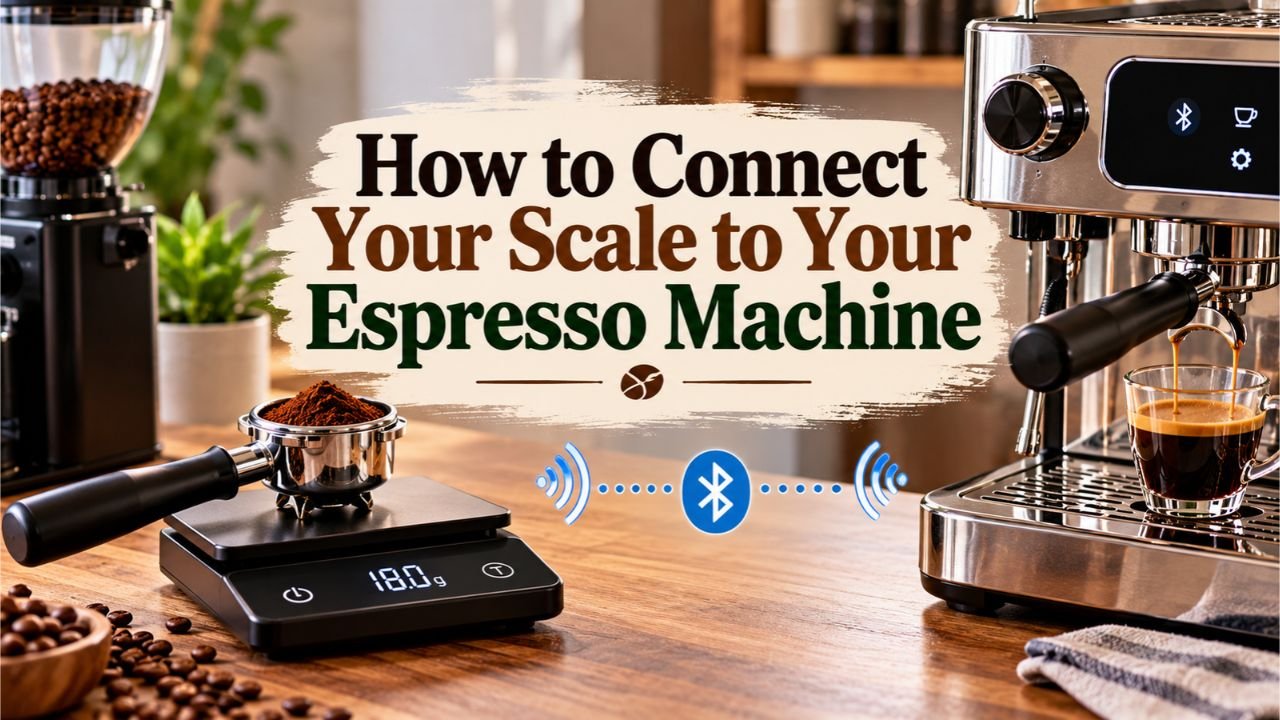
Most espresso scales do not need a physical or Bluetooth connection to an espresso machine. Simply place the scale on the drip tray, position your cup on top, press tare to reset the display to zero, and measure the espresso as it pours. Compatible smart scales can also connect through Bluetooth for automatic timing, shot tracking, or brew-by-weight control.
Connecting a scale incorrectly can produce inaccurate shot measurements, unexpected timer behavior, or failed Bluetooth pairing. Assuming that every wireless scale can automatically stop an espresso machine may also lead to buying incompatible equipment.
A correctly configured scale makes espresso preparation more consistent. It lets you measure the coffee going into the portafilter, track the liquid espresso in your cup, and repeat a successful brewing ratio without relying on guesswork.
An important distinction in how to connect your scale to your espresso machine is what connecting actually means. On most machines, the scale operates independently. Automatic brewing control requires specific hardware, software, and compatibility between devices.
The National Coffee Association reported in September 2026 that 47% of American adults had consumed an espresso-based beverage during the previous week, a record level in its National Coffee Data Trends survey. With espresso drinks becoming increasingly popular, accurate measuring tools are useful for home preparation.

What stood out to me in the manufacturer instructions is that Bluetooth connectivity and automatic shot stopping are separate features. An Acaia scale may communicate with a smartphone without controlling the espresso machine, while supported La Marzocco and Decent systems offer deeper integration.
The setup methods, compatibility checks, Bluetooth pairing instructions, shot-weight settings, and troubleshooting steps below cover both ordinary espresso scales and connected systems that support automated brewing.
What Does Connecting an Espresso Scale to a Machine Mean?
Connecting a scale can refer to three different arrangements.
The simplest involves physically placing a digital scale beneath the espresso cup. More advanced options use wireless communication or direct integration with the machine’s brewing controls.
| Connection method | How it works | Automatic shot stopping |
| Manual weighing | Scale sits beneath the cup and displays weight | No |
| Bluetooth app pairing | Scale sends measurements to a compatible app | Not automatically |
| Integrated brew-by-weight | Compatible scale and machine exchange brewing data | Yes, if supported |
Manual Scale Setup
A manual espresso scale is a digital weighing device that operates independently from the machine.
It measures the weight of espresso entering the cup.
You start and stop the extraction using the machine’s normal controls while watching the scale display.
This method works with almost any espresso machine that has enough space beneath its group head.
No wireless pairing or special machine software is required.
Bluetooth Scale Connection
A Bluetooth espresso scale contains wireless electronics that transmit weight data to another compatible device.
That device may be a smartphone, tablet, coffee grinder, or supported espresso machine.
Bluetooth communication can provide live weight tracking, timer synchronization, and shot recording.
Still, Bluetooth support does not guarantee that the scale can control brewing.
A scale may pair with its manufacturer’s smartphone app but remain unable to stop the espresso machine automatically.
Integrated Brew-by-Weight
Brew-by-weight is a system that uses measured espresso weight to control when extraction stops.
The scale reports how much liquid has entered the cup.
Compatible machine software uses that measurement to determine when to stop the pump or brewing process.
Some systems account for residual drips that continue after the machine stops.
This functionality requires explicit support from both the machine and scale.
Key Takeaway: A regular scale only measures espresso. Bluetooth adds data communication, while genuine brew-by-weight integration can automatically stop a compatible machine.
How to Connect Your Scale to Your Espresso Machine Without Bluetooth
For most home espresso setups, this is the simplest and most reliable method.
You need a digital espresso scale, a suitable cup, and enough clearance beneath the portafilter.
Step 1: Prepare the Espresso Machine and Scale
Turn on the espresso machine and allow it to reach its recommended brewing temperature.
Prepare the portafilter, filter basket, and coffee.
Charge the espresso scale or install fresh batteries if required.
Switch the scale to grams (g).
A scale that displays changes in 0.1-gram increments is a practical choice for espresso measurement.
Before brewing, place the scale on a stable, level surface and verify that it returns to zero when unloaded.
Step 2: Position the Scale on the Drip Tray
Place the scale directly beneath the group head, where the espresso normally flows into the cup.
The scale should rest flat on the drip tray.
Check that:
- The scale fits without hanging over the tray.
- It does not touch the portafilter.
- The weighing platform has enough space for the cup.
- The display remains visible.
- No machine components press against the weighing platform.
Some espresso machines have limited clearance between the portafilter and drip tray.
A slim espresso scale or shorter cup may be needed.
Do not remove a required machine component merely to create extra space unless the manufacturer permits that arrangement.
Step 3: Place Your Cup on the Scale and Tare
Position the empty espresso cup on the weighing platform.
Wait for the reading to stabilize.
Press the tare or zero button.
The display should return to 0.0 grams.
Taring removes the cup’s weight from the measurement.
Without this step, the scale would display the combined weight of the cup and espresso, making the beverage yield difficult to read.
For example, if a cup weighs 120 grams and contains 36 grams of espresso, the total would be 156 grams.
After taring the cup, the display shows only the espresso weight.
Step 4: Prepare the Coffee Dose
Measure your ground coffee separately before locking the portafilter into the machine.
For a typical double espresso, 18 grams of ground coffee is a common starting dose, provided the basket is designed for that amount.
Distribute the grounds evenly and tamp according to the machine and basket recommendations.
Lock the portafilter into the group head.
Move the tared cup and scale beneath the espresso outlets.
Check that the cup is centered so the espresso will not spill onto the scale.
Step 5: Start Brewing and Monitor the Weight
Start the espresso extraction.
If the scale has a built-in shot timer, start it when the pump or brewing process begins.
Watch the weight increase as espresso enters the cup.
For a starting brew ratio of 1:2, an 18-gram coffee dose would produce approximately 36 grams of liquid espresso.
Stop the machine when the display approaches the intended yield.
Some espresso continues dripping after the pump stops, so you may need to stop slightly before the target.
The amount of extra liquid varies with the machine, coffee, and portafilter.
Step 6: Record the Final Shot Weight
Allow the remaining espresso to drip into the cup.
Read the final weight once the scale stabilizes.
If the target was 36 grams and the final reading is 39 grams, the shot exceeded the intended yield.
The next time, stop extraction slightly earlier.
Record the coffee dose, espresso yield, extraction time, and taste if you are adjusting your recipe.
Key Takeaway: For ordinary espresso machines, the scale needs no electronic connection. Place it beneath the cup, tare to zero, and monitor the espresso weight during extraction.
How to Pair a Bluetooth Espresso Scale With Your Machine
Bluetooth pairing requires more preparation because not every machine and scale can communicate.
Start by confirming compatibility before attempting to pair the devices.
Step 1: Check Bluetooth Compatibility
Find the exact model names of your espresso machine and scale.
Check the manufacturer’s supported-device information.
Look specifically for terms such as:
- Bluetooth scale support
- Connected scale
- Brew-by-weight
- Wireless scale integration
- Espresso machine app compatibility
- Automatic stop by weight
Do not assume a compatible connection exists simply because both products support Bluetooth.
Bluetooth provides a communication method, but the devices must also support compatible software protocols.
For example, a Bluetooth scale that connects to a phone may not communicate directly with an unrelated espresso machine.
Step 2: Prepare the Scale for Pairing
Charge the scale and switch it on.
Enable Bluetooth according to the scale’s instructions.
Some devices enter pairing mode automatically.
Others require a particular button combination or setting.
Keep the scale close to the espresso machine or the device running its control app.
If another phone, tablet, or coffee app is already connected, disconnect it before attempting a new pairing.
Acaia explains that its scales can maintain only one app connection at a time in certain workflows.
Step 3: Open the Compatible App
Launch the official app associated with the supported system.
Depending on the product, pairing may happen through:
- The espresso machine’s control app
- A coffee station management app
- The scale manufacturer’s app
- The machine’s connected tablet
Enable Bluetooth permissions requested by the app.
Some Android versions also require nearby-device permissions for Bluetooth scanning.
Use the app’s scale connection menu rather than assuming the scale should be paired through the phone’s general Bluetooth settings.
The correct method depends on the manufacturer.
Step 4: Select and Pair the Scale
Look for an option such as Add Scale, Connect Scale, or Select Scale.
Turn on the scale and wait for it to appear in the app’s device list.
Select the correct model.
Follow any confirmation instructions.
A successful connection may be indicated by a Bluetooth symbol, connection icon, or live weight display.
On some machines, the scale must also be assigned to the brewing function.
Pairing alone may not activate brew-by-weight.
Step 5: Configure Weight and Timer Settings
After the connection is established, review the available options.
Compatible systems may offer:
- Automatic taring
- Shot timing
- Live weight display
- Target espresso yield
- Flow-rate monitoring
- Automatic brewing stop
- Shot history
Only select functions supported by the actual scale and machine combination.
For automatic brewing, set a reasonable target weight and confirm that the machine’s control software recognizes the scale.
Step 6: Test the Connection Before Brewing
Place an empty cup on the scale.
Verify that the weight displayed in the app responds when you add a small object or a little water.
Test the tare function.
If the system provides automatic stop-by-weight control, follow its official setup procedure and confirm the connection before using it with coffee.
Keep the machine’s manual stop control accessible during the first brewing test.
Key Takeaway: Bluetooth pairing works only with supported combinations. Use the manufacturer’s designated app, confirm live weight readings, and configure brewing control separately when available.
Connecting Popular Espresso Scales to Compatible Machines
Several manufacturers offer connected weighing systems, but their procedures differ.
The following examples explain the main differences.
Connecting a La Marzocco Connected Scale
La Marzocco offers brew-by-weight integration for compatible Linea Mini machines.
The system uses the La Marzocco Connected Scale, developed with Acaia technology.
According to La Marzocco’s documentation, the supported setup requires compatible Linea Mini hardware and updated machine software.
The general setup is:
- Update the La Marzocco app and compatible machine firmware.
- Open the app and create or select your Coffee Station.
- Turn on the La Marzocco Connected Scale.
- Select Add a Scale under the Coffee Station accessories.
- Choose the detected scale and add it to the Coffee Station.
- Complete the required scale-location training.
- Open the Linea Mini’s brew-by-weight settings.
- Set the desired espresso yield.
- Start extraction using the machine’s normal brewing control.
The machine and scale communicate through Bluetooth.
The system uses the measured weight to stop brewing automatically, with software that accounts for residual dripping.
La Marzocco also introduced an upgrade option in March 2026 for compatible Acaia Lunar 2021 scales.
Eligible Lunar 2021 models with supported USB-C hardware and serial numbers beginning with AL008 or later can receive Connected Scale functionality through the manufacturer’s upgrade process, which requires a separate license.
Older Micro-USB Lunar models are not supported by that upgrade.
Important: The La Marzocco brew-by-weight system is not a universal feature of every La Marzocco machine or every Acaia scale. Confirm model compatibility before purchasing or updating equipment.
Connecting a Decent Espresso Scale to a DE1 Machine
Decent Espresso supports connected scale functions through its DE1 software environment.
The Half Decent Scale can communicate with the DE1 app and provide weight-based brewing control.
Its supported features include live weighing and automatic stopping at a specified espresso yield.
A typical setup involves:
- Turn on the DE1 machine and its control tablet.
- Power on the compatible Decent scale with wireless communication enabled.
- Open the DE1 control app.
- Access the supported scale connection settings.
- Select the detected scale.
- Confirm that live weight data reaches the app.
- Configure the target espresso weight in the brewing settings.
- Test the weighing and automatic stopping functions.
The exact menus can change with software versions.
Decent’s connected scales also support other compatible applications, but an app receiving weight data does not automatically mean it controls the espresso machine.
Use the DE1 app’s supported configuration for brew-by-weight.
Using an Acaia Lunar With a Regular Espresso Machine
An Acaia Lunar can be used beneath the portafilter of a conventional espresso machine without any pairing.
Its built-in modes can provide automatic taring and shot timing.
For example, certain Lunar modes start the timer when espresso flow is detected.
Other modes automatically tare the cup and start the timer when a stable cup is placed on the weighing platform.
These functions operate on the scale itself.
They do not mean the espresso machine is receiving commands from the Lunar.
Acaia scales may also connect to compatible Acaia apps for monitoring and recording.
For ordinary machines without supported brew-by-weight integration, you still stop brewing manually.
Key Takeaway: La Marzocco and Decent offer machine-specific weight integration. An Acaia Lunar can work independently with many machines, but automatic stopping requires explicit compatibility.
How to Set the Correct Espresso Weight After Connecting Your Scale
Connecting the devices is only the first part of the process.
The scale becomes more useful when you establish a repeatable brewing recipe.
Understand Coffee Dose and Espresso Yield
Coffee dose means the dry ground coffee placed in the portafilter basket.
Espresso yield means the weight of the liquid espresso collected in the cup.
The ratio between them is called the brew ratio.
A 1:2 ratio is a common starting point for a double espresso.
| Ground coffee dose | Brew ratio | Target espresso yield |
| 16 g | 1:2 | 32 g |
| 17 g | 1:2 | 34 g |
| 18 g | 1:2 | 36 g |
| 19 g | 1:2 | 38 g |
| 20 g | 1:2 | 40 g |
These are starting examples, not mandatory recipes.
The appropriate dose depends on your filter basket and coffee.
A shorter ratio may produce a more concentrated drink, while a longer ratio extracts more liquid.
Choose a Starting Extraction Time
For many traditional espresso recipes, approximately 25–35 seconds is a useful initial extraction window.
That time may be measured from pump activation or from the beginning of espresso flow.
The distinction matters.
Some scales start timing when they detect the first drops, while machine timers may start as soon as the pump activates.
Preinfusion can also change the total time.
Use one timing convention consistently when comparing shots.
The espresso’s taste should guide final adjustments rather than treating a particular number of seconds as an absolute rule.
Account for Espresso Dripping After the Machine Stops
Espresso may continue entering the cup after the brewing pump stops.
This is sometimes called residual dripping or the final drip.
If you manually stop at exactly 36 grams, the final yield may reach 38 grams or more.
The amount depends on the machine, portafilter, and flow conditions.
Start by observing how much additional liquid enters the cup after stopping.
Then adjust your stopping point on future shots.
Some integrated systems use predictive algorithms to account for this behavior.
Key Takeaway: Start with a repeatable dose and yield, such as 18 grams in and 36 grams out. Measure the final result and adjust for residual dripping.
Why Your Espresso Scale Is Not Connecting
Bluetooth connection problems can occur because of incompatibility, wireless settings, firmware, or another active connection.
A scale that reads weight correctly may still be unable to communicate with the machine.
Scale Does Not Appear in the Bluetooth Device List
Start by confirming that the scale is powered on and its Bluetooth function is enabled.
Next, check that the scale is supported by the app.
Some Bluetooth Low Energy devices are intended to connect inside their companion apps rather than through the phone’s normal pairing screen.
If the scale is missing:
- Restart the scale.
- Close other apps that may be connected to it.
- Restart Bluetooth on the phone or tablet.
- Confirm that required permissions are enabled.
- Move the scale closer to the receiving device.
- Search again using the manufacturer’s recommended menu.
If the scale still does not appear, check its exact model and firmware compatibility.
Scale Connects to a Phone but Not the Machine
This often indicates a compatibility limitation rather than a faulty scale.
Bluetooth scales do not automatically work with every Bluetooth-enabled espresso machine.
The phone may support the scale’s communication protocol while the espresso machine does not.
Check the machine manufacturer’s approved scale list.
Also confirm that the scale is not already connected to another device when attempting machine pairing.
Some systems require a firmware upgrade or a specific app configuration before machine control becomes available.
Bluetooth Disconnects During Brewing
An unstable connection may occur because of interference, software issues, device distance, or power management.
Check that both devices have sufficient battery power.
Keep the scale within the manufacturer’s supported wireless range.
Avoid connecting it to multiple applications simultaneously if the product only supports one active connection.
Restart the control app and update firmware when the manufacturer recommends it.
If automatic brewing control becomes unavailable, use the machine’s manual stop function.
Do not depend on a disconnected scale to stop the shot.
Scale Reading Changes or Drifts
Unstable measurements may be caused by vibration, heat, an uneven drip tray, or the cup touching another surface.
Check the following conditions:
- The scale sits level.
- No part of the cup touches the portafilter.
- The scale’s weighing platform moves freely.
- The drip tray does not rock.
- The scale is not overloaded.
- The scale is protected from excessive heat.
- No water is collecting beneath the scale.
Allow the scale to stabilize and tare again.
If the readings remain inaccurate, follow the manufacturer’s calibration instructions using the required calibration weight.
Automatic Shot Stopping Does Not Work
A successful Bluetooth connection does not necessarily activate automatic stopping.
First, confirm that the machine supports brew-by-weight with that specific scale.
Then check that the feature is enabled and a target yield has been selected.
Verify that the scale is assigned to the brewing function rather than another accessory.
Some systems require scale-location training or updated firmware.
If the machine still does not stop at the target, discontinue automatic mode and use manual brewing until the issue is resolved.
Key Takeaway: Most connection problems come from unsupported devices, active connections to other apps, firmware issues, or incorrect settings. Confirm compatibility before resetting equipment.
How to Choose an Espresso Scale That Works With Your Machine
Not every digital kitchen scale is suited to the restricted space beneath an espresso machine.
The right product should fit the machine and measure small changes in weight reliably.
Size and Clearance
Measure the space between your drip tray and the portafilter.
Include the height of the espresso cup when checking clearance.
A compact, low-profile scale is often more practical than a large kitchen weighing scale.
Make sure the platform is large enough to support the cup without allowing it to touch surrounding machine parts.
Measurement Resolution and Response Speed
For espresso, 0.1-gram display resolution is a common and useful specification.
It shows small changes as liquid enters the cup.
Response speed also matters.
A slow display may lag behind the actual espresso flow, causing you to stop the shot later than intended.
Resolution is not identical to accuracy.
A scale that displays tenths of a gram is not automatically accurate within one-tenth of a gram under every condition.
Water and Heat Protection
Espresso scales operate near hot water, steam, and occasional spills.
Choose a product designed for use around espresso equipment.
Check the manufacturer’s stated water resistance and temperature limits.
Water-resistant does not mean waterproof.
Keep charging ports protected and avoid washing an electronic scale under running water unless its instructions explicitly permit that cleaning method.
Wireless Compatibility
If automatic shot stopping is your goal, choose the scale from the machine’s official compatibility list.
Do not buy a wireless scale based only on its Bluetooth specification.
For manual weighing, Bluetooth is optional.
A compact scale with stable readings, a tare button, and a shot timer is enough for many home espresso setups.
Key Takeaway: Fit, stable readings, responsiveness, and resistance to ordinary espresso splashes matter for every scale. Machine-specific compatibility matters when automatic control is required.
Common Mistakes When Using an Espresso Scale
Even a properly connected scale can provide misleading measurements if the brewing setup is incorrect.
Forgetting to tare the cup: The display includes cup weight instead of showing only espresso yield.
Confusing dry dose with liquid yield: The 18 grams of ground coffee inside the portafilter is not the same measurement as the 36 grams of brewed espresso in the cup.
Assuming automatic timing means machine control: A scale can start its own timer when liquid flows without sending commands to the espresso machine.
Using a scale that touches the portafilter: Contact with another object can interfere with weight readings.
Ignoring residual drips: The final espresso weight may be higher than the reading when the pump stops.
Using incompatible Bluetooth hardware: A scale may connect to a smartphone but not support automatic stopping on the espresso machine.
Placing the scale on an unstable drip tray: Vibration, uneven support, or rocking can cause inaccurate readings.
I recommend mastering manual weighing before relying on automatic brew-by-weight features. It gives you a clear reference for identifying problems with the connected system.
Conclusion
Understanding how to connect your scale to your espresso machine starts with identifying the type of scale and the features your machine supports. Most espresso scales need no electronic connection. Place the scale beneath the cup, tare the reading, and measure the espresso during extraction. Bluetooth pairing is necessary only for compatible smart functions.
Connected systems from manufacturers such as La Marzocco and Decent can support automatic brew-by-weight control, but their features depend on specific machine models, approved scales, and software. A regular Bluetooth scale cannot automatically control an unrelated espresso machine.
My recommendation is to begin with a compact scale that reads in 0.1-gram increments and offers a convenient tare function. Use a starting recipe such as 18 grams of ground coffee to 36 grams of espresso, then adjust according to taste.
If you want automatic stopping, verify machine compatibility before purchasing a connected scale. The most useful setup is one that produces stable measurements and repeatable espresso without unnecessary connection problems.
FAQs About Connecting an Espresso Scale to an Espresso Machine
Can You Connect Any Digital Scale to an Espresso Machine?
Any appropriately sized digital scale can be used beneath many espresso machines for manual weight measurement. No electronic connection is required. Automatic Bluetooth communication is different. The scale and machine must support compatible communication and software. A regular kitchen scale may also be too large or slow for convenient espresso measurement, even if it can display grams.
Do You Need Bluetooth to Use an Espresso Scale?
No. Bluetooth is not required for ordinary espresso weighing. Place the scale on the drip tray, tare the empty cup, and watch the display as espresso pours. You can manually stop brewing at the desired yield. Bluetooth becomes useful for compatible app tracking, synchronized measurements, or automatic brew-by-weight functions supported by specific machine models.
Can an Acaia Lunar Connect to Any Espresso Machine?
An Acaia Lunar can be used for manual weighing with many espresso machines, provided it fits beneath the cup. Its built-in timer and automatic weighing modes do not require machine pairing. Bluetooth communication and automatic stopping require specific compatibility. Supported La Marzocco Linea Mini systems can use the appropriate Connected Scale or eligible upgraded Lunar 2021 models, but that functionality is not universal.
Why Is My Espresso Scale Not Showing Up on Bluetooth?
The scale may have Bluetooth disabled, insufficient battery power, or an existing connection to another app. It may also require pairing through the manufacturer’s application instead of the phone’s normal Bluetooth settings. Restart the scale, close competing applications, verify permissions, and search again. If the machine does not support that scale model, Bluetooth pairing alone will not establish a working connection.
Can an Espresso Scale Automatically Stop the Machine?
Yes, but only with compatible brew-by-weight systems. Supported La Marzocco Linea Mini and Decent DE1 configurations are examples. The connected scale measures the espresso as it enters the cup, and the machine’s software stops brewing at a programmed target. A standalone scale with an automatic timer does not necessarily have this capability.
Where Should You Place a Scale on an Espresso Machine?
Place the scale on the drip tray directly beneath the espresso outlet. It should sit level and support the cup without touching the portafilter or other machine components. Make sure there is enough vertical clearance for both the scale and cup. Keep the display visible and avoid positions where vibration, excessive heat, or pooled water could interfere with measurements.
What Does Tare Mean on an Espresso Scale?
Tare means resetting the scale reading to zero while an object is resting on it. For espresso, place the empty cup on the scale and press tare. The cup’s weight is removed from the displayed measurement, so the scale shows only the weight of espresso entering it. Taring is useful for measuring a precise brew ratio and comparing shots.
What Espresso Ratio Should I Use With a Scale?
A 1:2 brew ratio is a practical starting point for many double espresso recipes. For example, 18 grams of ground coffee would produce 36 grams of liquid espresso. Some coffees taste better with shorter or longer ratios. Use the scale to measure the final yield, record the extraction time, and adjust the recipe based on flavor rather than relying on one fixed ratio for every coffee.
Do You Need a Special App to Connect a Bluetooth Espresso Scale?
For connected features, you generally need an app or control system that supports the exact scale model. Acaia provides apps for supported scale functions, while La Marzocco and Decent offer their own machine integration systems. Some scales can communicate with third-party coffee apps, but those connections do not automatically provide espresso machine control. Always check the manufacturer’s supported pairing method.